


Season Two ApS · App comparisons

Which tracking style matches your money?

A side-by-side look at popular budgeting apps by tracking style, planning method and everyday usability in Japan — aggregation, guardrails, weekly reflection, or portfolio context. Every claim stays within current store descriptions and widely discussed positioning.

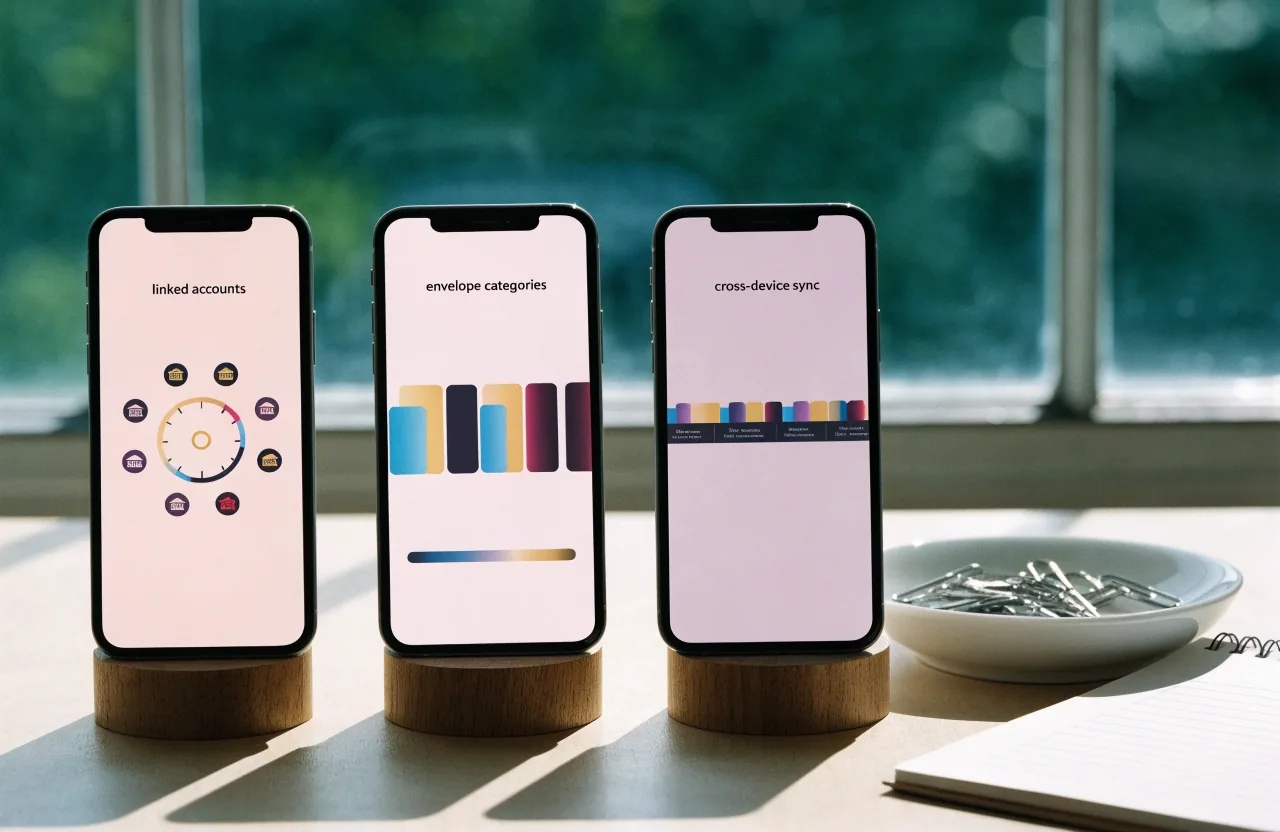
Three smartphones on wooden stands showing different budgeting app screens with account icons, envelope categories and a subscription timeline.

Apps in this comparison

Moneytree · Kakeibo: Budget + AI · Kanma · Summo · PocketGuard · YNAB

Tracking styles grouped, not ranked

Section one

How to read this comparison

We compare what each app asks you to do daily. Some ask you to connect accounts and review categories. Some ask you to assign income before spending. Some ask you to log quickly and reflect weekly. Pick the daily action you will actually repeat, then check device fit and institution coverage.

Aggregation-led

Connect and review

You link institutions, scan categories, and let the app keep balances current. Fewer manual entries.

Envelope-led

Assign then spend

You give every unit of income a job first. Limits do the planning; entries confirm it.

Reflection-led

Log then reflect

Fast entry now, a weekly or monthly page later. The review is the point, not the live balance.

Portfolio-led

See holdings and bills

Investments and subscriptions sit next to everyday spending, so you read them together.

The comparison

Six apps, four daily habits

Each bar measures how much the app asks of you before it gives anything back. The seal-pink rule is the daily action the app is built around.

A close-up of a hand tapping a bank icon on an account aggregation screen of a smartphone.

Daily action required · lower bar reads calmer

  1. Moneytree

    Aggregation · connect & review

    Setup once, lean on 2,500+ supported Japanese services.

  2. Kakeibo: Budget + AI

    Reflection · log & review weekly

    Ultra-fast entry, weekly and monthly reports, family sharing.

  3. Kanma

    Portfolio · seen together

    Investments, subscriptions and statistics read on one screen.

  4. Summo

    Light planner · cross-device

    iCloud syncing across iPhone and iPad, credit-card payment tracking.

  5. PocketGuard

    Guardrail · safe-to-spend view

    Shows what remains available before you spend it.

  6. YNAB

    Zero-based · proactive planning

    Assign every unit first; the discipline is the product.

Bar length reflects how much daily attention the app's own description asks of the reader — not a score, rating, or recommendation. Always verify a listing's current features in your store before you commit.

Moneytree and account aggregation

Fewer manual entries, more review

Moneytree — Finance Made Easy on Google Play in Japan connects bank accounts, credit cards, digital money, points and cash spending in one place. Its listing notes support for over 2,500 Japanese financial services, with AI transaction categorization, custom notifications, spending periods and a dashboard for assets, spending and cash flow.

That makes it relevant for readers who want fewer manual entries. Review the current permission screens before connecting accounts.

Before you connect anything

Read the permission screen list on the day you install. Confirm which institutions you actually use appear there, and how the app handles cash you never spend through a card.

A ruled practice-log page photographed from above with a pink reconcile line drawn across its footer.

A single folio row per day beats a hero analytics screen. Keep the page short enough that a week of entries fits without flipping back.

Kakeibo: Budget + AI

A page you sit down with

Kakeibo: Budget + AI is described in the App Store as a budgeting app with an intelligent financial assistant. It generates weekly and monthly budgets based on savings goals and includes ultra-fast expense entry, family and friend sharing, and weekly and monthly reports. It explains Kakeibo as a traditional Japanese account book used for personal finance management.

Choose this style if weekly review motivates you more than live balances. The report is the reward, and the entry is the toll — that works for some readers and stalls others.

The Kakeibo label itself appears across multiple current apps, often paired with expense tracking, savings goals and mindful spending language. It is both a method and a product label. Our methods page explains how to run it on paper or in an app without buying anything new — use the label as a hint about style, then verify the features.

  • Weekly budget you can see

    The app draws a savings goal into a weekly figure, so the review has a target, not just a total.

  • Ultra-fast entry

    Listed as a headline feature — worth testing with a real purchase during your first week.

  • Family and friend sharing

    One household book rather than two separate apps — useful if you already share spending with someone.

  • Weekly and monthly reports

    A page to sit down with. If you would rather never open a report, a simpler tracker usually beats this one.

Kanma

Holdings and bills side by side

Kanma — Personal Finance is listed on the App Store with investment tracking for cryptocurrency, stocks and exchanges, plus subscription and transaction tracking with detailed statistics. It suits readers who want portfolio context next to recurring bills.

It is less about envelope limits and more about seeing holdings and charges together. Confirm which exchanges and data feeds are active in your region before you rely on the numbers.

Portfolio-led style

Summo

A light planner on iPhone and iPad

Summo, listed in the Japan App Store in November 2026, is described as a personal finance app that tracks spending and manages budgets, with credit card payment tracking and iCloud syncing across devices.

That profile fits readers who want a light budget planner without a complex setup. Check whether manual entry, categories and export meet your needs before you commit to a year of entries.

Light-tracking style

Reference points

Two temperaments, one question

PocketGuard and YNAB sit at opposite ends of the same decision: does the app tell you what is safe to spend, or asks you to decide first?

PocketGuard · shows what is safe

PocketGuard is a consumer budgeting app focused on visibility into available spending money, known for simplifying cash-flow awareness and overspending prevention.

If a single number on your home screen would calm the week down, start here. It is not a budgeting method — it is a glance.

YNAB · assign every unit

YNAB, short for You Need A Budget, is built around zero-based budgeting and proactive planning, and is widely known as a subscription-based tool with strong educational messaging.

If the plan is the point and you want to argue with your own numbers every payday, this is the one. It asks more and gives more.

Generic utility apps

Direct language, small claims

Budget app — spending tracker is listed in the Japan App Store as a personal finance app for spending tracking, budget planning and money saving, with claims around helping reduce expenses and increase savings.

Generic titles compete through direct language rather than brand history. Treat such listings pragmatically: test entry speed, category editing and report clarity during the first week. If the entry flow feels slow on day two, it will not survive a busy month.

Write down your payment mix, devices, and whether you share budgeting with family.

Two bank accounts, one credit card, a transit card, the odd cash purchase — all that changes which style of tracker will actually fit your week.

Shortlist two options: one aggregation-led, one manual-led.

Run them side by side for seven days with real transactions. Keep the one with cleaner categories and calmer cash-flow screens.

If neither fits, read before trying a third.

Two weeks of switching between apps usually means the daily action was wrong, not the app. Go back to the method before you go back to the store.

Common questions

Asked before the first week

Short answers to the three checks readers run before installing anything.

Which is easier for logging expenses in under a minute?

Apps that list fast entry and saved defaults tend to test faster. Kakeibo: Budget + AI lists ultra-fast expense entry. Try a real store purchase during evaluation — one purchase on a busy afternoon tells you more than five test entries at a desk.

Can an English-language app handle Japanese banks and credit cards?

Some Japan-focused listings document broad local coverage. Others rely on manual entry. Check the institution list in the current version before you commit — a screenshot in a store page from last year may not match what the app supports today.

Do I need both budgeting and investment tracking?

Not always. If subscriptions and holdings confuse your monthly view, keep them separate. Kanma combines them, which helps some readers and distracts others — that is a temperament call, not a feature call.

Season Two ApS

Made a shortlist? Start with the method.

Every comparison on this site is a reading aid, not a recommendation. The order we suggest — method first, style second, app third — keeps the choice with you where it belongs.

Reading suggestions by email

Send a note with the two apps you are deciding between and the daily action you can actually repeat. We reply with the guides that fit that choice.

Hours
Monday–Friday, 9:00 AM – 6:00 PM
Post
Flæsketorvet 38B, 1711 København V, Denmark

Reconcile line closed